
MCP connector · Works with Claude & ChatGPT

Your legal team, inside ChatGPT and Claude.

Connect Dharaa once. Then draft, review, stamp, pay, and Aadhaar-eSign legally binding agreements — without ever leaving the conversation.

https://mcp.dharaa.ai/mcp

Paste this URL as a custom connector — setup takes about a minute. Free to connect and draft.

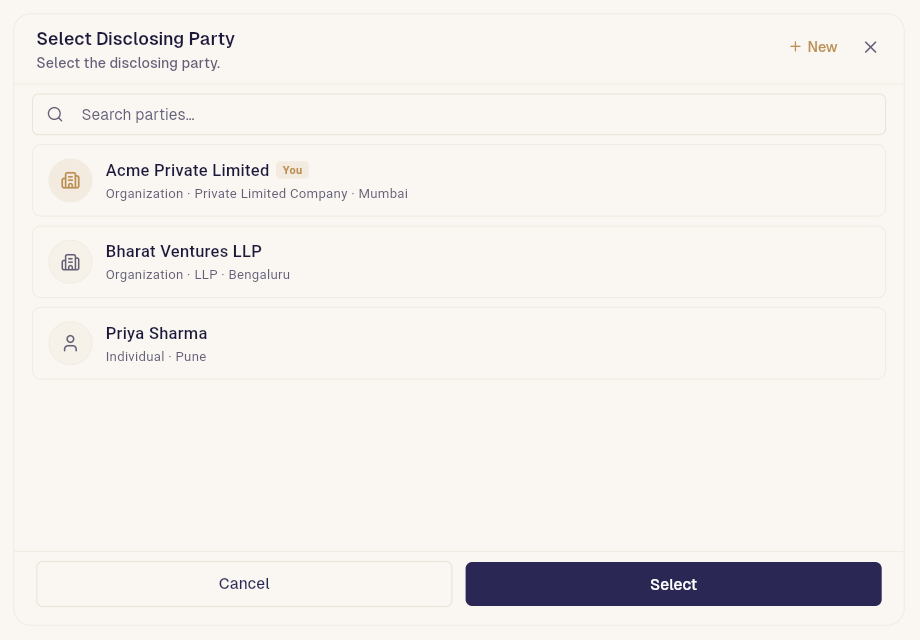
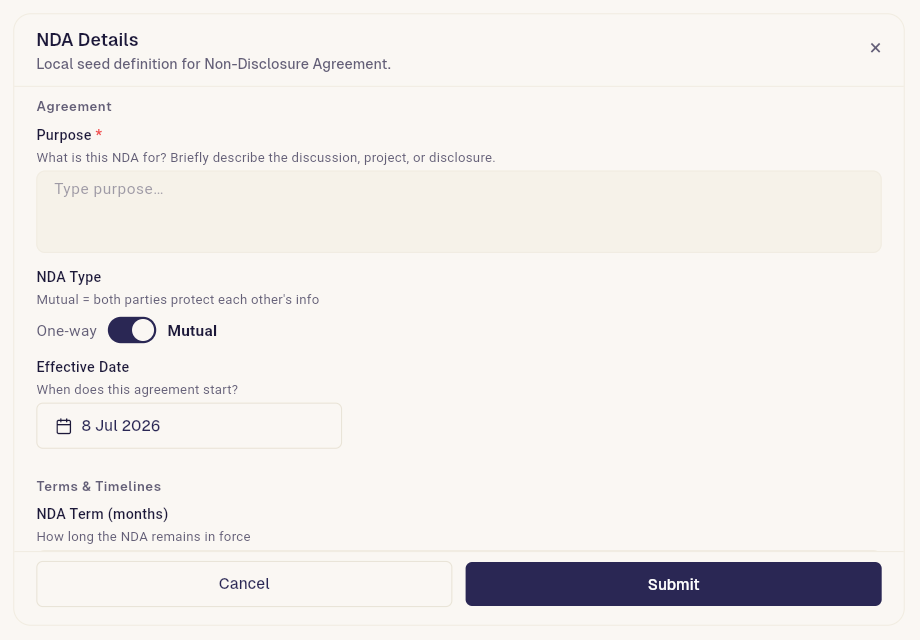
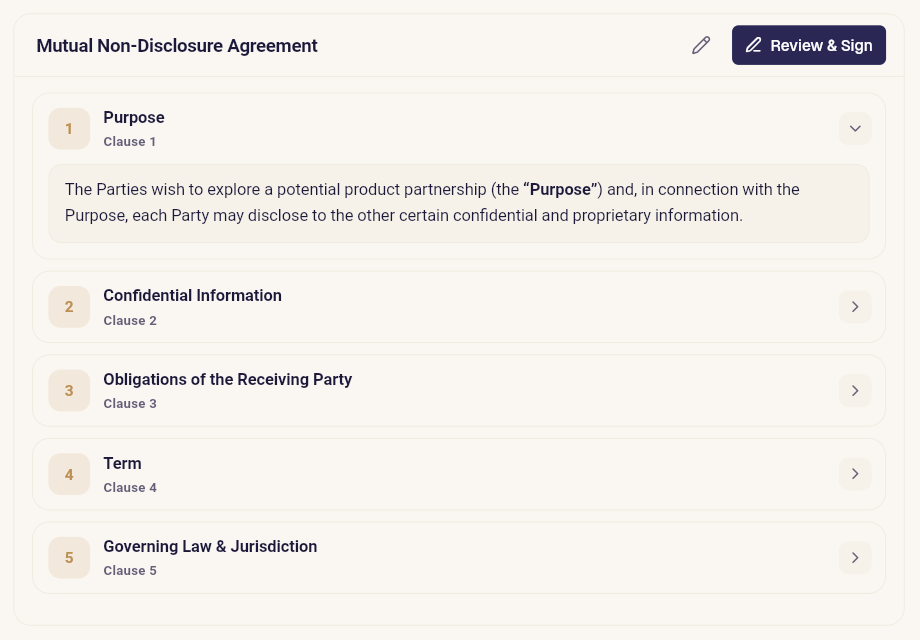
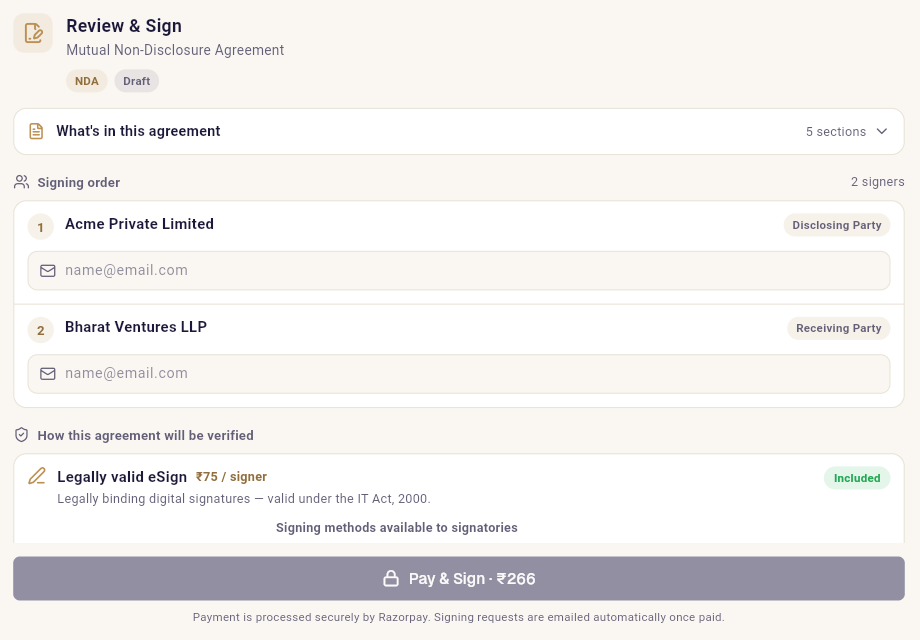
From “I need an NDA” to signed — in one conversation

These are Dharaa’s real interactive surfaces, rendering inside the chat. Not links out. Not copy-paste.

Dharaa party picker widget rendered inside an AI chat

Connect in about a minute

In Claude

  1. Open Settings → Connectors and choose Add custom connector.
  2. Paste the Dharaa connector URL and add it.
  3. Sign in to Dharaa when prompted — that’s the one-time OAuth step.
  4. Ask Claude for an agreement. Dharaa does the rest.

Available on Claude Pro, Max, Team, and Enterprise.

In ChatGPT

  1. Open Settings → Apps & Connectors and enable developer mode if asked.
  2. Choose Add connector and paste the Dharaa connector URL.
  3. Authorize with your Dharaa account.
  4. Ask for an agreement in any chat.

Requires a ChatGPT plan with connector support.

https://mcp.dharaa.ai/mcp

Everything Dharaa does — now a message away

Draft any agreement

NDAs, rent agreements, service contracts, employment offers — described in plain words, drafted clause by clause.

Start from templates

Lawyer-structured templates — including regional-language ones — filled in through a simple Q&A.

Sign any PDF you already have

Received a contract from the other side? Upload it in chat and send it straight for Aadhaar eSign.

Pay & send without leaving chat

Confirm signers and pay via Razorpay inside the conversation — signing invites are emailed automatically.

Track and nudge signers

“Has Priya signed yet?” Get live signing status and send reminders with a single message.

Stamp duty, built in

State-wise stamp duty estimates appear alongside your agreement, with e-Stamp purchase guidance.

Try these once you’re connected

Click to copy, paste into Claude or ChatGPT, and watch it happen.

Built like infrastructure, not a demo

OAuth 2.1 + PKCE

Industry-standard authorization. You sign in once; no passwords or API keys pasted into chat.

Scoped to your account

The assistant acts only on your agreements. Per-user isolation on every request.

Legally binding output

Aadhaar eSign under the IT Act, 2000, with audit trails, optional face liveness and geo-stamping.

You stay in control

Payments and signatures always require your explicit confirmation — the AI never spends or signs on its own.

Questions people ask

What do I need to connect Dharaa to Claude or ChatGPT?

A Claude or ChatGPT plan that supports custom connectors (Claude Pro/Max/Team, or ChatGPT with connector support), and a free Dharaa account. Add the Dharaa connector URL, sign in once, and you are done.

Is it free to use?

Yes — connecting, drafting, and previewing agreements is free. You only pay when you send an agreement for signing, starting at ₹149 per document.

Are agreements signed this way legally valid?

Yes. Signing uses Aadhaar eSign and digital signatures that are legally binding under the Indian IT Act, 2000, with a full audit trail. The AI chat is just the interface — the agreement, payment, and signatures run on Dharaa.

Can the AI see my other documents?

The connector is scoped to your own Dharaa account via OAuth 2.1 — the assistant can only act on your agreements, and every request is authenticated and rate-limited. Nothing is shared across users.

Draft your first agreement — free

Tell the AI what you need and get a legally sound agreement in minutes. Free to draft and preview — you only pay when you send it for signing.